
BILL AP & AR Business Payments
Bill.com Inc.Business
4.31.54K Reviews
- Version
- 3.7.171
- Installs
- 500.00K
- Age Rating
- Everyone
Screenshots
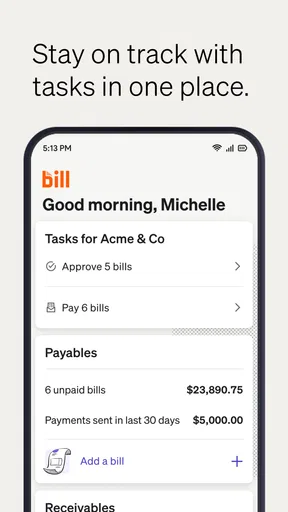
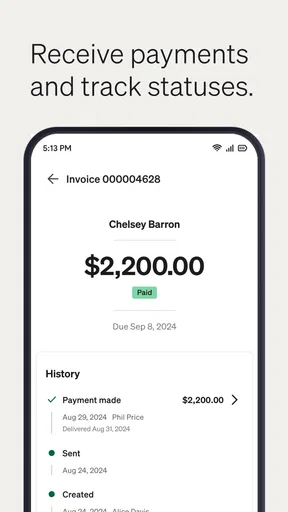
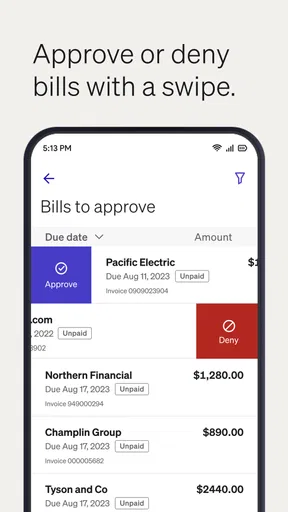
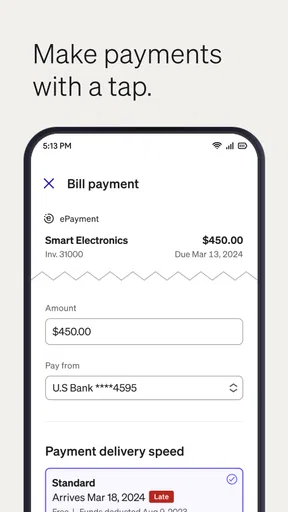
Our Review of BILL AP & AR Business Payments
 Analysis by Appyee
I approached BILL AP & AR Business Payments as a practical business tool rather than a general finance app. Its purpose is straightforward: help businesses manage bills and receive payments online from one place. That sounds simple, but payment software earns its value through the small details—how clearly it presents a transaction, how much control it gives the person approving it, and whether it fits the way a real business already works.
In my experience, this app makes the most sense for a small business owner, freelancer, office manager, or finance professional who wants a mobile view of accounts payable and accounts receivable activity. It is not the kind of app I would install merely to track personal spending. The focus is business payments, and the developer behind it is Bill.com Inc., a name directly associated with that workflow.
The app is free to download and carries an Everyone age rating, which makes it accessible from a general app-store perspective. Its public reception is also reasonably strong, with a 4.3 average from around 7.5 thousand ratings and more than 500 thousand installs. Those figures suggest that it has reached a meaningful business audience, although popularity alone is not enough for me to trust a payment tool. For financial software, I pay closer attention to the controls visible during everyday use.
How the payment workflow feels in everyday business use
The clearest way to understand the app is to imagine a normal workday. A supplier sends an invoice while you are away from your desk. Instead of waiting until you return to a computer, you can use the mobile experience to review the payment task and keep the process moving. Later, when a customer payment needs attention, the same business-oriented environment gives you a place to check the receivables side rather than switching between unrelated personal finance tools.
That separation between paying bills and getting paid is important. Many small companies handle both responsibilities, but they often treat them as disconnected jobs. An accounts-payable tool is useful for outgoing obligations; an accounts-receivable tool is useful for money coming in. Bringing both perspectives into BILL AP & AR can make the cash-flow picture easier to follow, especially when the owner is also handling sales, operations, and administration.
I would be careful, however, not to mistake mobile access for a complete replacement for every desktop accounting process. A phone is excellent for checking an item, responding to an urgent task, or keeping a payment workflow from stalling. It is less comfortable for lengthy reconciliation work, reviewing a large collection of invoices, or investigating a complicated discrepancy. My preferred approach is to use the app for timely decisions and oversight, while reserving detailed financial housekeeping for the environment where those records are easiest to inspect.
One useful habit is to treat each payment as a small approval exercise rather than tapping through it automatically. Check the recipient, amount, timing, and purpose before moving ahead. That sounds obvious, but mobile convenience can encourage quick decisions. The app’s value is highest when it shortens the path to an informed action, not when it removes the need to think about the action.
Where it fits better than ordinary alternatives
The usual alternative for a small business is a mixture of email, bank websites, spreadsheets, and accounting software. That combination can work, but it often leaves the payment trail scattered. An email may contain the invoice, a spreadsheet may hold the status, and a bank portal may show the final movement of money. A dedicated business-payments app offers a more focused place to handle the bill or receivable itself.
Compared with a basic banking app, BILL AP & AR is more relevant when the question is not simply “What is my balance?” but “Which business obligation needs attention, and where does it sit in the payment process?” Compared with a spreadsheet, it is better suited to active payment work because a spreadsheet depends heavily on manual updates and consistent file discipline. Compared with a full accounting platform, its appeal is focus: it concentrates on paying bills and getting paid rather than trying to be the entire financial operating system.
That focus is also the main trade-off. If you need broad bookkeeping, inventory, payroll, tax preparation, or detailed financial reporting, I would not choose this app as the only tool. It may complement a wider system, but it should not be judged as a substitute for software designed around those other jobs.
Controls that deserve attention before a payment is sent
Trust in a payment app comes from visible user choices. When I review a transaction, I want the important details presented clearly enough to catch a mistake before it becomes an expensive correction. In practical terms, that means slowing down at the review stage, checking the payment destination, and making sure the amount matches the business record I am using as the source.
I also recommend deciding internally who should be allowed to approve payments before relying heavily on a mobile workflow. A business may have one person doing everything, or it may divide preparation, review, and approval among several people. The app should be used in a way that matches that responsibility structure rather than quietly replacing it with informal habits.
The safest workflow is not the fastest possible workflow; it is the fastest workflow that still leaves room for a deliberate review. I find this especially important when a phone notification arrives during a meeting, while travelling, or between customer calls. Convenience is helpful, but urgency should not become a reason to skip verification.
Another practical tip is to keep the business context visible while working. If an invoice is connected to a project, supplier, or recurring expense, I would confirm that connection before approving it. Repeated charges are easy to overlook because they look familiar. Familiarity is not proof that the current amount or recipient is correct.
Data-sensitive moments and responsible use
Payment work naturally involves sensitive business information. Even without making assumptions about what the app accesses or stores, I would treat every session as a moment requiring care. Avoid reviewing financial details on an unattended device, use the phone’s own security protections, and be conscious of who can see the screen when working in a public place.
I would also separate personal and business use as much as possible. Keeping business payment activity inside the business account and business workflow makes later review easier and reduces confusion. Mixing a company obligation with personal notes, messages, or informal reminders can create uncertainty about what has actually been approved or completed.
Before adopting the app across a team, I would inspect the account settings and the choices shown during setup and use. Look for the controls that determine who can access the account, how users are managed, and what actions require confirmation. I do not treat the presence of a business-finance app as proof that every configuration is automatically suitable for every company. The responsible step is to review the choices yourself and match them to your organization’s needs.
This is also where I would read the app’s current privacy and account information directly, rather than relying on a short store summary. The store describes BILL AP & AR as “BILL AP & AR” and presents it as a way to pay bills and get paid online, but a short description cannot replace checking the permissions and account controls presented on your device. My rule is simple: if a permission or setting is not relevant to the way I plan to use the app, I do not enable it casually.
Who should use it, and who should look elsewhere
I think the app is a good candidate for a small business that has recurring bills, customer payments, and a need to stay responsive while away from a desk. It can be particularly useful for an owner who does not have a large finance department and needs one business-focused mobile destination for payment tasks. It may also suit an operations employee who needs to keep routine financial work moving without opening a full accounting workstation.
It is less suitable for someone looking for a personal budgeting app, a simple bill reminder, or a consumer banking replacement. The business orientation may feel excessive if all you want is a list of household due dates. I would also hesitate to make it the central tool for a larger organization until the company has carefully reviewed its internal approval process and confirmed that the account structure suits the team.
Businesses with complicated accounting requirements should compare it with a broader accounting platform before committing. The right question is not whether one app can do everything, but whether this app handles the payment portion cleanly alongside the tools already used for records, reporting, and reconciliation. If your current system already manages outgoing and incoming payments well, adding another layer may create more work rather than less.
What the version and app history tell me
The app has been available since December 16, 2015, so it is not a new experiment in the business category. Its current version is 3.7.171, and it requires iOS 9 or later. That minimum requirement is notably old, which may help people using older compatible Apple devices, although I would still keep the operating system updated whenever the device supports it. A current device and current system are sensible foundations for any app involved in financial activity.
Long availability can be reassuring because business workflows benefit from continuity, but it should not encourage complacency. Payment software needs to fit current company practices, current staff responsibilities, and current security expectations. I would install it, sign in, and walk through a non-urgent workflow before making it part of a time-critical payment routine.
The rating and install figures give the app a solid public footprint, but they do not answer the questions that matter most to an individual business. Does the account setup make sense for your team? Are the review steps clear enough for your approval policy? Can you maintain a clean record of what has been handled? Those are questions I would answer through a controlled trial with ordinary business tasks rather than through the store score alone.
Small habits that make the app more useful
My first recommendation is to begin with a narrow workflow. Use it for a defined group of bills or a specific receivables process, then observe where people hesitate. This reveals whether the app is genuinely reducing friction or merely moving the same confusion onto a phone screen.
Second, establish a review rhythm. A quick daily check can be useful for urgent items, while a more deliberate weekly review can help identify anything that has been overlooked. The point is not to stare at the app constantly; it is to give payment tasks a predictable place in the working day.
Third, document the team’s expectations outside the app. Decide who checks invoice details, who can approve, and how exceptions are handled. Even a well-designed payment workflow cannot compensate for unclear responsibility. If a supplier changes payment information or a familiar invoice suddenly looks different, the correct response should already be understood before anyone opens the approval screen.
Finally, use the mobile format selectively. I like it for keeping a business moving when I am not at a desk, but I would avoid making complex decisions solely because a notification appeared. For a large or unusual payment, I prefer a calmer review with the supporting business records available.
My cautious verdict on BILL AP & AR
BILL AP & AR is most convincing when viewed as a focused mobile companion for business payments. It brings outgoing bills and incoming payments into the same general workflow, which is more useful than a generic banking app when the real challenge is managing business obligations rather than merely viewing an account balance.
I like its clear purpose, established presence, free availability, and suitability for small-business situations where responsiveness matters. I also appreciate that it can reduce dependence on scattered emails, spreadsheets, and separate payment pages. The strongest use case is a business that wants practical mobile access without pretending that mobile access replaces every accounting responsibility.
My reservations are equally practical. A payment app should never be adopted on convenience alone. You still need to review account controls, protect access to the device, define approval responsibilities, and decide whether the app complements or duplicates your existing accounting setup. For complicated finance teams or users seeking personal money management, another category of tool may be a better fit.
Overall, I would recommend giving it a controlled try if your daily work includes both paying suppliers and following up on customer payments. Start with clear internal rules, inspect the choices shown during setup, and use the app as a deliberate business workflow rather than an automatic shortcut. Used that way, it has a sensible role for keeping payment tasks visible and manageable on the go.
Verdict
Strengths of BILL AP & AR Business Payments
- Streamlines invoice creation, tracking, and payment management in one place.
- Helps businesses monitor outstanding receivables and improve cash-flow visibility.
- Supports faster customer payments through digital billing and payment options.
- Reduces manual data entry compared with spreadsheet-based accounts receivable workflows.
- Useful dashboard gives teams a clearer overview of billing activity and payment status.
Limitations of BILL AP & AR Business Payments
- May require setup time to configure business details, taxes, and payment preferences.
- Advanced features may be more useful to larger teams than small occasional billers.
- Payment availability can depend on supported countries, currencies, and providers.
- Users may need accounting software integration for complete financial reporting.
- Some customers may prefer traditional invoices over app-based payment requests.
Other Releases by Bill.com Inc.
View All
BILL Spend & Expense (Divvy)
Business4.5
Similar Picks in This Category
View All
LinkedIn: Community & Network
LinkedIn3.8

Zoom Workplace
zoom.com4.1

Microsoft Teams
Microsoft Corporation4.6

Meta Business Suite
Meta Platforms, Inc.4.6

Webex Meetings
Cisco Systems, Inc.4.5

TeamViewer Remote Control
TeamViewer4.4
Frequently Asked Questions
What is BILL AP & AR Business Payments used for?
BILL AP & AR Business Payments is a business finance platform designed to help companies manage accounts payable and accounts receivable in one place. After reviewing its workflow, the main functions include paying vendor bills, sending invoices, tracking payment status, organizing approvals, and monitoring incoming funds. It is aimed primarily at businesses and finance teams rather than personal budgeting users.
Is BILL AP & AR Business Payments safe for handling business payments?
The app is built for handling sensitive financial information and business transactions, so security is an important part of the experience. Users should expect account authentication, permission controls, payment verification, and transaction monitoring features, although the exact options may depend on the account type and region. Before connecting bank accounts or inviting colleagues, review BILL’s current security policies and enable every available protection feature.
Can I use the app to pay bills and send invoices automatically?
The platform supports workflows for both outgoing and incoming payments, helping businesses reduce manual financial administration. You can typically schedule vendor payments, submit bills for approval, create or send invoices, and follow payment progress from the dashboard. Automation capabilities may vary according to your subscription, payment method, integrations, and approval settings, so confirm the available features before relying on it for recurring transactions.
Does BILL AP & AR Business Payments integrate with accounting software?
Integration with accounting and business-management tools is one of the platform’s most useful advantages. Depending on your plan and software, BILL can help synchronize bills, invoices, vendors, customers, payment records, and reconciliation data with supported accounting systems. Setup may require administrator permissions and careful account mapping. It is worth checking the current list of supported integrations before downloading or migrating an established finance workflow.
Are there fees or eligibility requirements for using BILL AP & AR Business Payments?
BILL is intended for businesses, so availability, pricing, payment options, and eligibility can differ from ordinary consumer payment apps. Some features may require a paid plan, while transaction-related services can involve additional fees depending on the payment type, currency, delivery method, or account configuration. Before signing up, review the latest pricing information, supported countries, verification requirements, and terms applicable to your business.
